APP Control
This is APP Control of the Image Analysis module. From here the advanced features of the Image Analysis module are available.
APPs are the center of the Image Analysis module where APP is an abbreviation for Analysis Protocol Package. Running an APP requires minimal training and prerequisite knowledge about Visiopharm and its features.
In APP Control, the details of the APP can be configured. This provides control over the pre- and post-processing steps applied before and after the classification method, respectively, and determines which calculations should be the output of the APP.
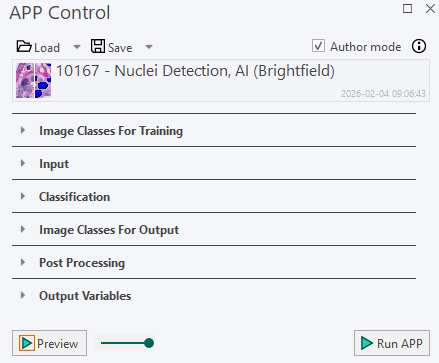
| Functionality | Description |
|---|---|
 | Author mode Author mode enables editing and modification of APPs. It is enabled by default. Turning Author mode off switches to Tune mode. |
 | Active APP Showing the current active APP. Click to open APP selection dialog to browse and open existing APPs. Ctrl+click on the APP to open the APP in APP Center. If the APP does not exist on APP Center, it will direct to the front page of the APP Center. |
 | Save and Load Click Load to open APP selection dialog. Click Save to save APP. Click arrow to open save as dialog. |
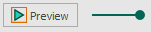 | APP Preview Click Preview to preview the entire APP inside the field of view (FOV). I.e. classification following all the post processing steps will be previewed. The slider determines the transparency of labels. Left-clicking it will toggle viewing labels on/off. Dragging it left or right will increase or decrease transparency respectively. |
 | Run APP Clicking Run APP will run the APP on the entire image or inside ROI if drawn. |
 | Info Click Info to open the Workflow Quick Help dialog, which guides through the process of creating the APP. |
Workflow Quick Help
The Workflow Quick Help dialog provides a step by step guide about each section in the APP control. Clicking on Info leads to the following dialog.
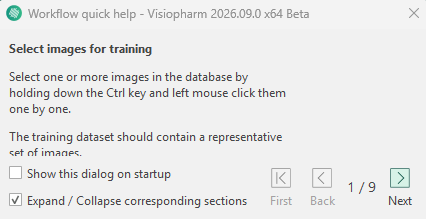
In the APP Control, the related section will open automatically. Click on Next to proceed to the next section in APP Control
Customizing APP Images and Descriptions
In the APP Selection view, hovering over an APP displays a pop-up containing an image and a description of the APP. This information helps users understand the purpose of the APP, its inputs and outputs, and which other APPs it is commonly used with.
When creating or modifying an APP, it can be a good idea to add both an image and a description. This makes the APP easier for other users to understand and helps simplify future maintenance and updates.
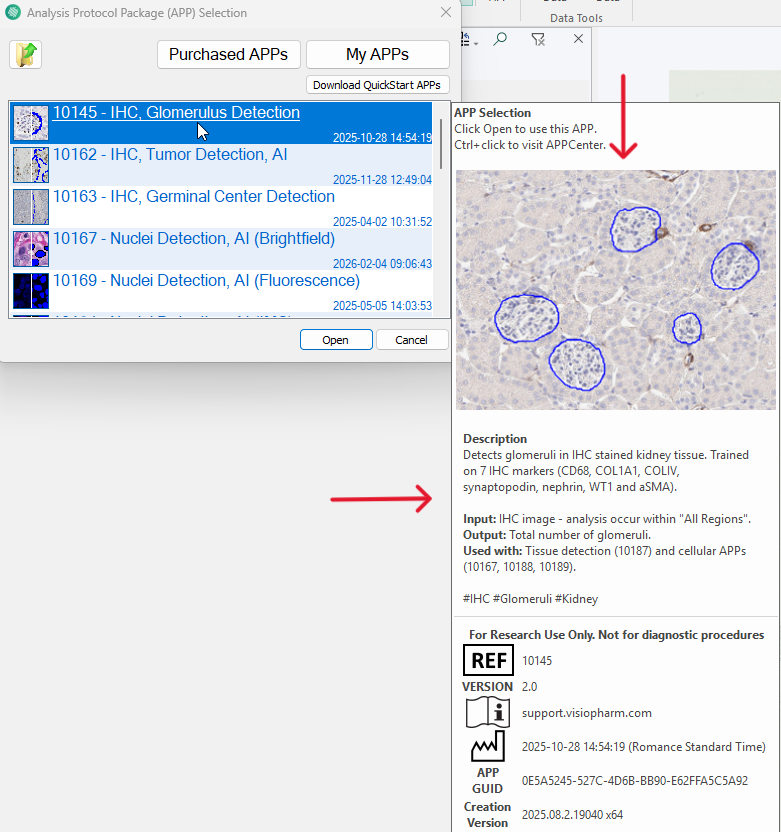
Adding an APP Image
To add an image, either take a screenshot or use an existing image and save it as example.png or example.jgp in the specific APP folder in File Explorer.

The image must have a resolution of 320x240px. The name of the image must be "example". Otherwise the image will not be displayed.
Adding an APP Description
To add a description, create a file named description.txt containing the APP description and save it in the specific APP folder.The description supports HTML formatting, allowing elements such as bullet lists, line breaks, and text formatting to be displayed correctly.
The example below generates the description corresponding to the one shown in the figure above.

The file must be named "description". Otherwise, the APP description will not be displayed.
Avoid adding unnecessary line breaks to the text file, as these will also appear in the displayed description.