Bayesian
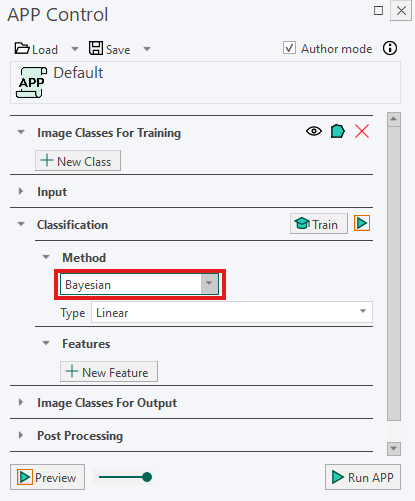
Bayesian classification assigns pixels or objects to classes based on probability. Using the training labels, the method learns the typical characteristics of each class. It then calculates which class is the most likely match for each pixel or object.
This method can be useful when there is considerable variation within the data set, for example when staining intensity or tissue appearance varies between regions.
Types
Under Type, choose between Linear and Quadratic classification:
- Linear classification separates classes using straight decision boundaries. It works well when the classes have a relatively similar amount and pattern of variation. It is generally the simpler and more stable option.
- Quadratic classification uses curved decision boundaries, allowing it to distinguish between classes with different patterns of variation. It is more flexible than Linear classification, but it may require more representative training labels to produce reliable results.
Running the Classification
- Train the classification by drawing representative training labels. See Classification Training for more information.
- In the Input section, use Regions To Analyze to select the ROIs that should be included.
- Click Run APP to run the classification on the selected ROIs.
tip
For the best results, place training labels in several representative areas, especially when staining or tissue appearance varies across the image.