Post Processing
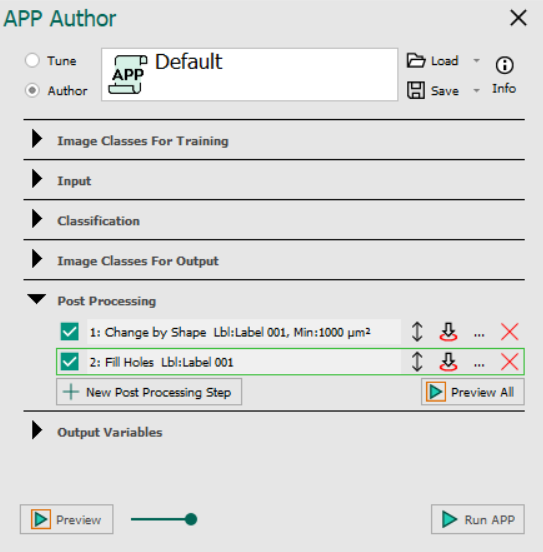
The Post Processing section is the 5th section in the APP Author dialog and is used to:
- Perform post processing of the classification result.
Post processing of the classification result, i.e. the label image, can be performed using a series of post processing steps. The post processing steps are shown in the Post processing-list, and will be executed in this order.
| Button | Description |
|---|---|
 | Toggle this tick mark on/off to enable/disable the specific post process. |
 | Allows the list order of post-processing steps to be changed. Left-click and hold to drag an image class up or down. The list order depicts the execution order. |
 | Previewing post processing steps in the FOV from the top stopping at the specific post process in line with the button. |
 | Edit the post processing step. Double-clicking on a post processing step has the same effect. Launches the Add post process dialog |
 | Delete the post processing step. |
 | Add new post processing step. Launches the Add post process dialog. |
 | Previews all post processing steps in the FOV |
tip
User can select a step and use Ctrl + C to copy and Ctrl + V to paste.
Add Post Process dialog: Different post processing steps are described in the following articles: